
How to Track Habits With Siri: Complete and Create Habits Hands-Free
Ask Siri to complete a habit, start a new one or open your streak, without touching your iPhone. It works from the Lock Screen too, so logging your habits takes one sentence and no unlocking.

Some habits happen when your hands are busy. You’re putting on your shoes after a run, carrying groceries in from a walk, or lying in bed after reading. Reaching for your phone to log the habit is exactly the step that gets skipped, and a missed log can look like a missed day.
Completer works with Siri, so you can track your habits by voice. Ask Siri to complete a habit, create a new one, or open a habit to check your streak. You don’t need to set anything up, and it works from the Lock Screen without unlocking your iPhone.
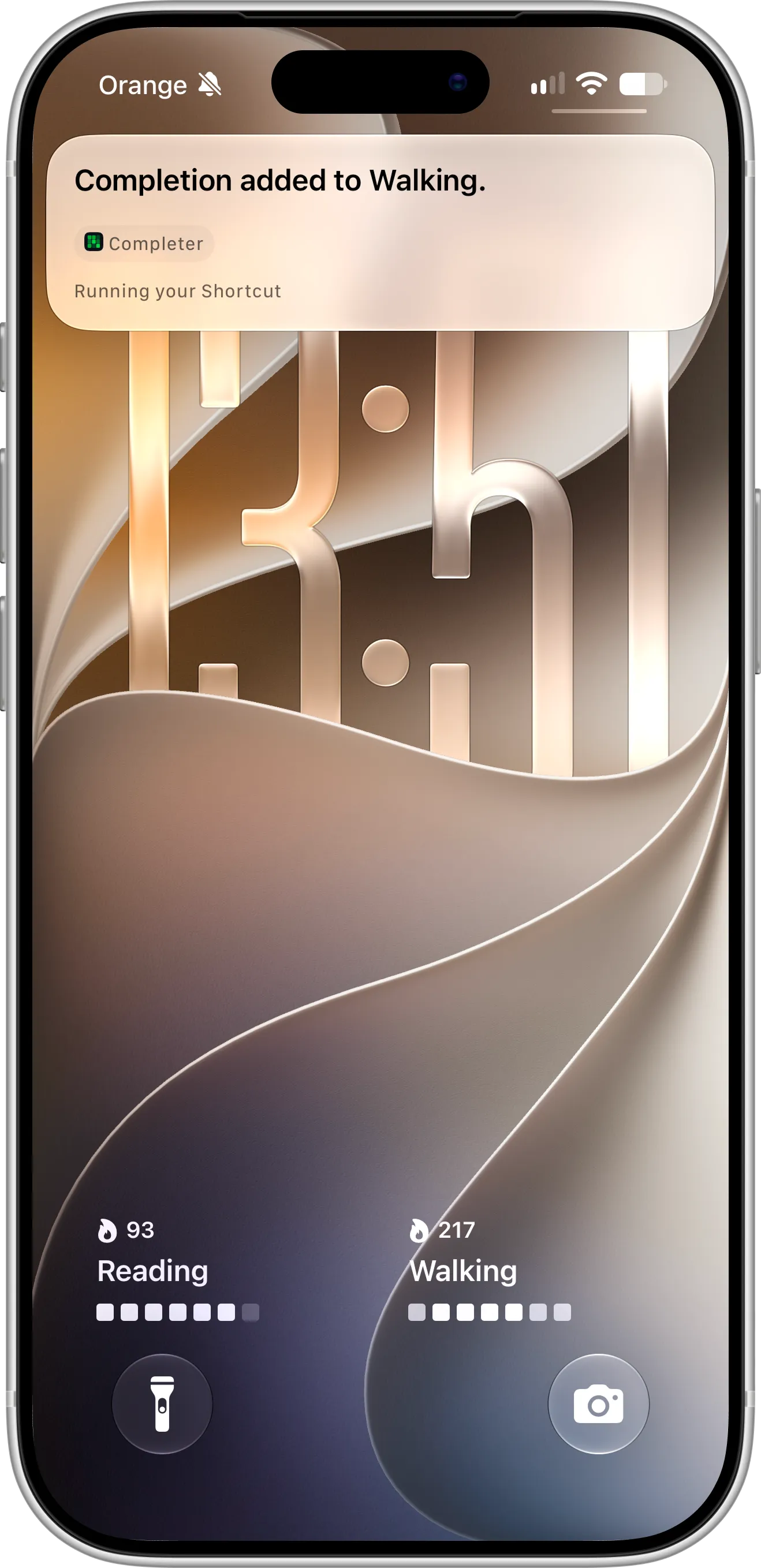
Ask Siri to complete Walking, and the streak in the Lock Screen widget goes up to 217 days.
What You Need Before Getting Started
To use Siri with Completer, download and install Completer from the App Store. Here’s what you need:
- An iPhone or iPad with Siri turned on.
- iOS 26 or later to complete habits with Siri. Creating and opening habits works on iOS 18 and later.
- At least one habit in Completer, if you want to complete or open it.
Completing and opening habits with Siri is free. Creating habits is free too, up to the three habits included in the free plan. With Pro, you can create as many habits as you like.
How To Complete a Habit With Siri
Follow these steps to log a habit by voice:
- Say “Hey Siri” or “Siri”, or press and hold the side button.
- Say “Complete Walking in Completer”, using the name of your habit.
- Siri adds the completion and confirms it.
You can also say “Add completion to Reading in Completer”. If you say “Add a completion in Completer” without a habit name, Siri asks which habit you mean.
The completion is saved right away. Your streak updates, and your Lock Screen widgets and Home Screen widgets refresh to show it, as in the screenshot above.
How To Create a Habit With Siri
Follow these steps to start a new habit by voice:
- Activate Siri.
- Say “Create a habit in Completer”, “Add a new habit in Completer” or “New habit in Completer”.
- Siri asks what the new habit should be called. Say the name, such as “Running”.
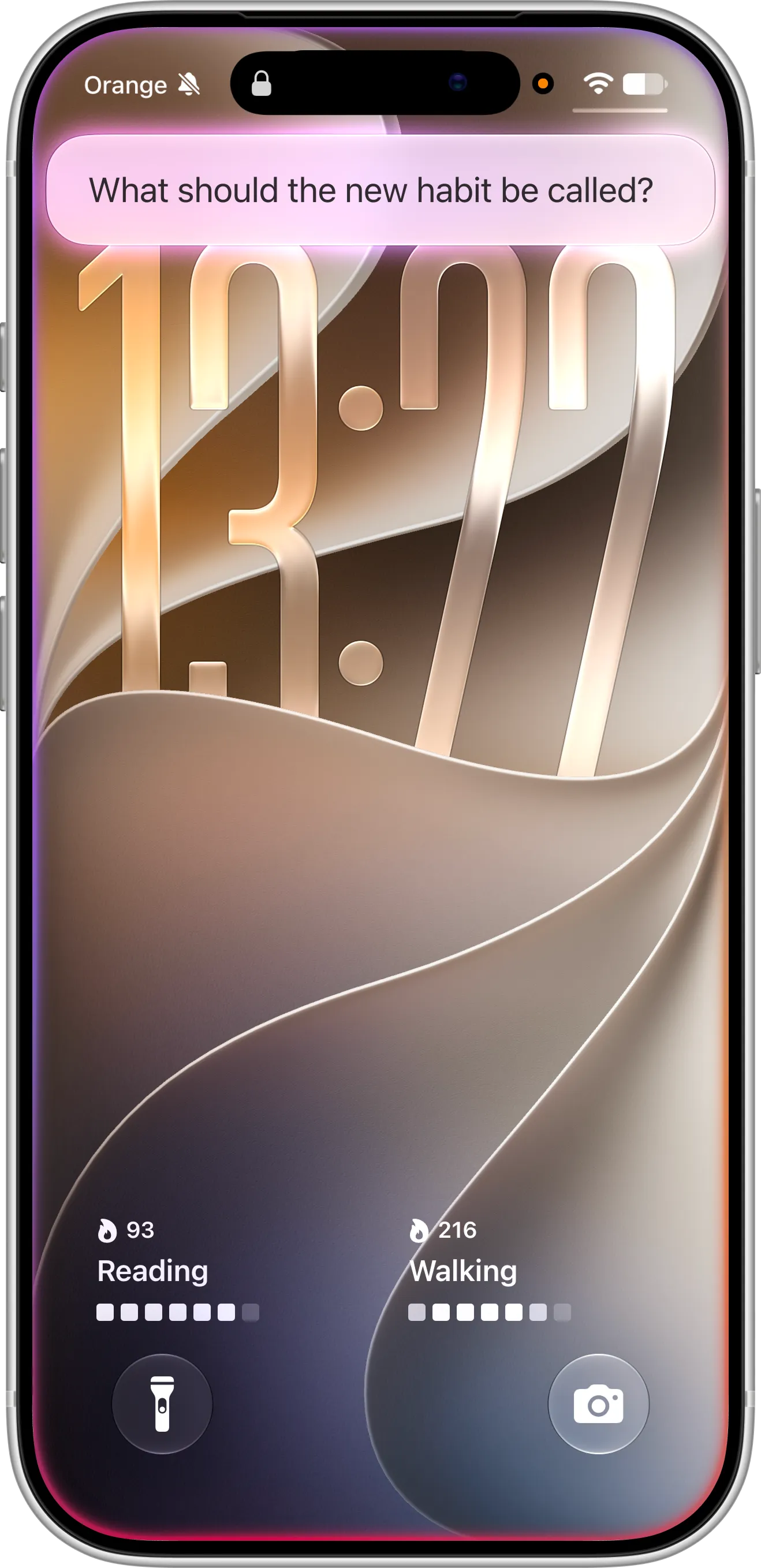
Siri asks for the name of the new habit, right on the Lock Screen.
The habit is created as soon as you answer, and Siri confirms it by name. It uses the same defaults as the New Habit screen, so open Completer later and tap Edit to set its goal, color, reminders or notes.
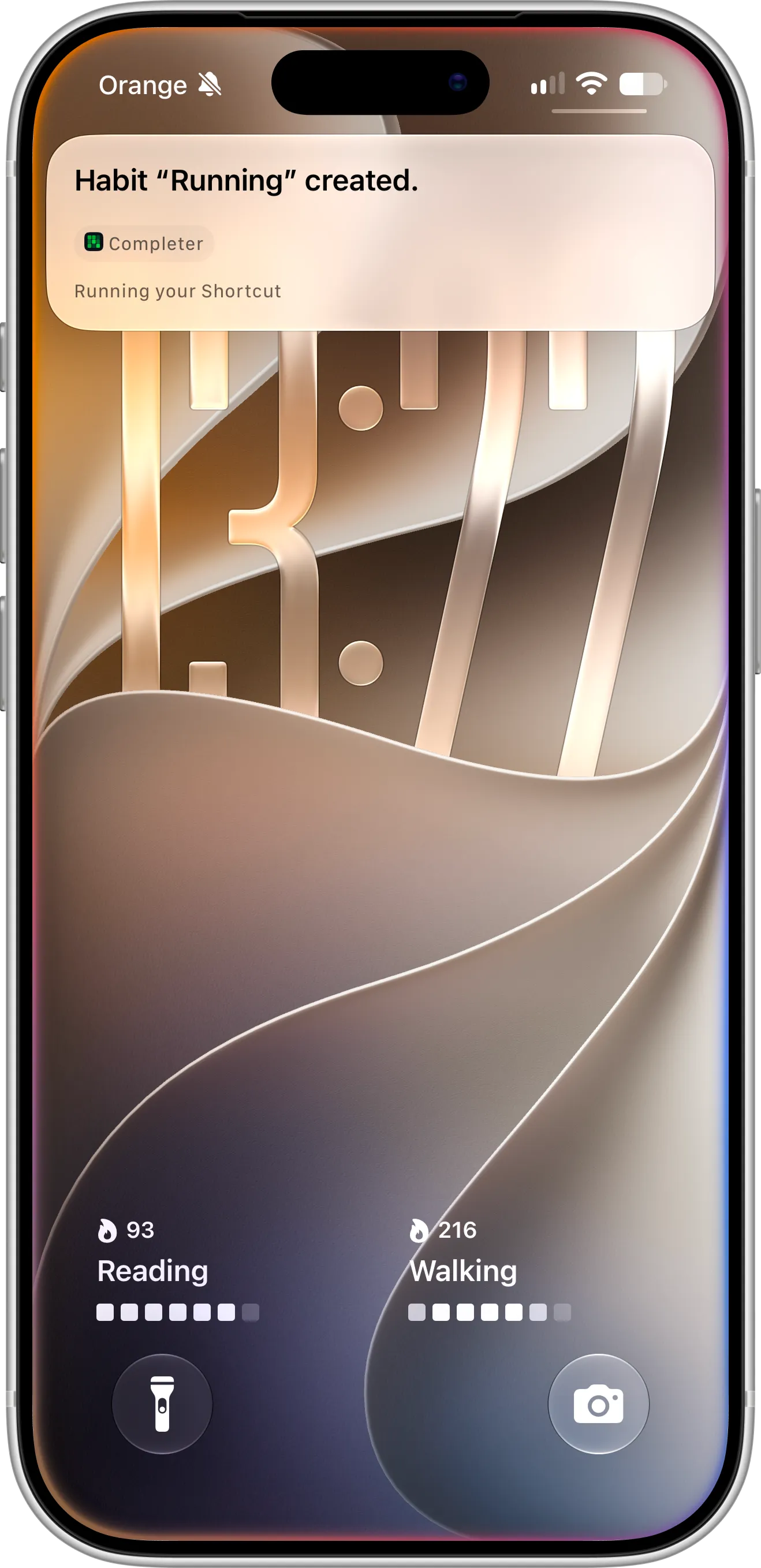
Siri confirms the new Running habit, ready to track without opening the app.
Open a Habit or Check Your Streak
To see a habit’s details, say “Open Reading in Completer” or “Show my Reading streak in Completer”. Siri opens Completer on that habit’s screen, with its streak, completions this week and this month, and recent completions.
Siri, Shortcuts and the Action Button
The same actions are available in the Shortcuts app, so you can also run them without speaking. Set the Action button to complete or create a habit with one press, use Back Tap to log a habit by tapping the back of your iPhone, or add a New Habit button to your Lock Screen and Control Center.
Tips for Tracking Habits With Siri
Give your habits short names that are easy to say and hard to mishear. “Walking”, “Reading” or “Vitamin D3” work well. Long names or names that sound like other words are harder for Siri to match, so rename a habit with Edit if Siri keeps getting it wrong.
Siri is most useful for the habits you finish away from your phone. Make it part of the habit itself: say “Complete Walking in Completer” as you take off your shoes, and the walk is logged before you’ve even sat down.
Troubleshooting
If Siri doesn’t do what you expect, check these common causes:
- Siri doesn’t recognize Completer: open Completer once after installing or updating it, then try again.
- Siri can’t find your habit: say the habit’s name exactly as it appears in Completer.
- Completing a habit doesn’t work: completing habits with Siri needs iOS 26 or later.
- The habit limit message appears: the free plan includes three habits. Archived habits count toward the limit too. Upgrade to Pro in the app for unlimited habits.
Need Help or Have Feedback?
If you run into any issues, want to suggest improvements, or have questions about Siri, you can always reach out through the contact page. Your feedback helps improve the habit tracker experience for everyone.
