
How to Duplicate a Habit and Copy Its Color: Set Up Habits Faster
Duplicate any habit with its goal, reminders, notes and full history in one tap, and copy a habit's color to others to keep related habits together. Both are in the menu of every habit in Completer.

Setting up a habit takes a minute: a name, a goal, a color, maybe a reminder and a note. That’s fine once, but not when you want three similar habits, or when you’d like your morning routine in one color and your evening routine in another. Small chores like these are what make people stop organizing their habit tracker.
Completer has two shortcuts for this in every habit’s menu. Duplicate makes a full copy of a habit, settings and history included. Style lets you copy a habit’s color and paste it onto other habits.
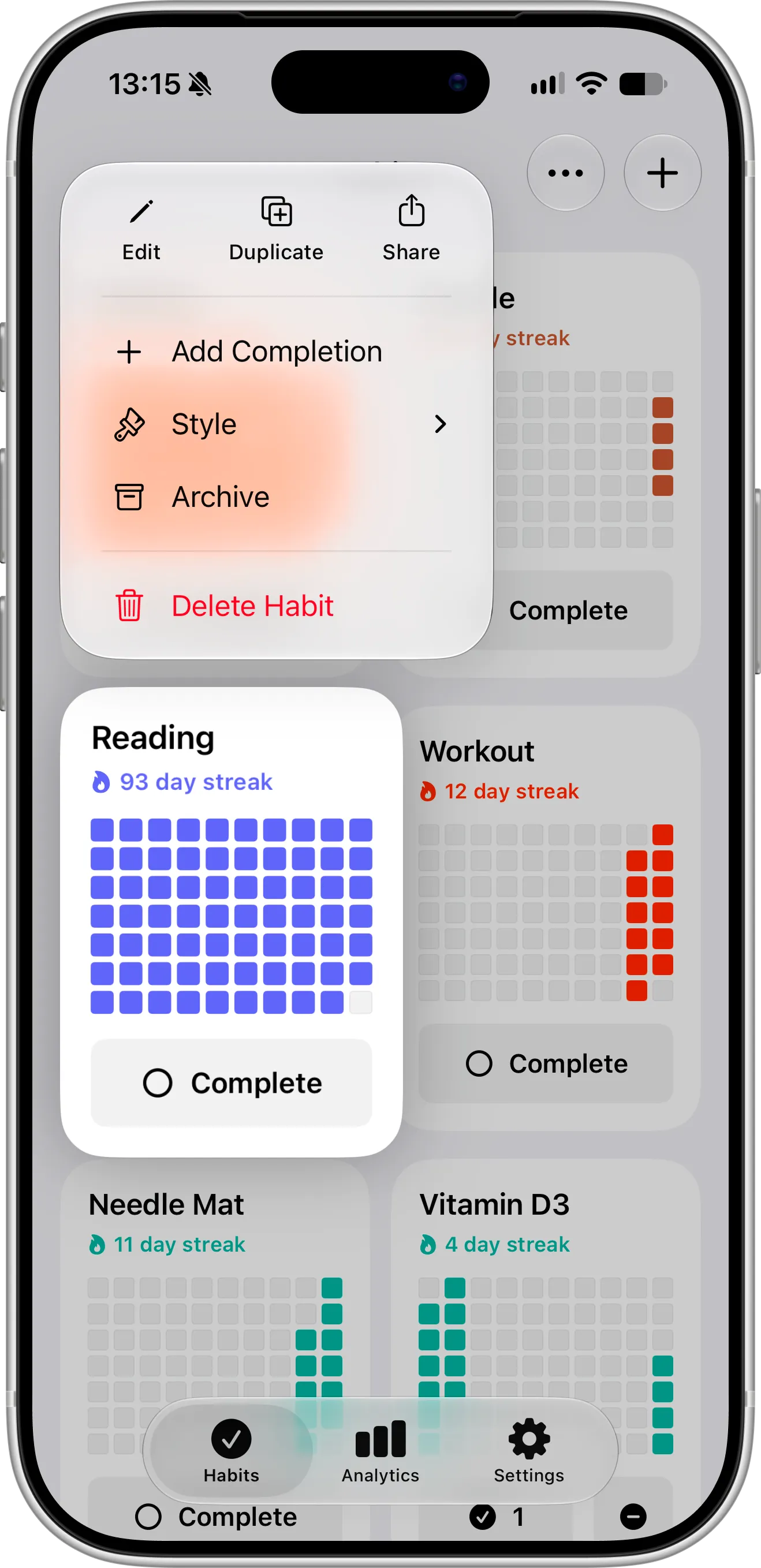
Duplicate sits in the top row of the menu, and Style is just below Add Completion.
What You Need Before Getting Started
To duplicate habits and copy their style, download and install Completer from the App Store. Both work on iPhone and iPad.
Copying and pasting a style is free. Duplicating a habit is free too, but the copy counts as a new habit, so on the free plan you can duplicate as long as you have fewer than three habits. With Pro, there’s no limit.
How To Duplicate a Habit
Follow these steps to duplicate a habit:
- On the Habits screen, touch and hold the habit you want to copy.
- Tap Duplicate in the row at the top of the menu.
- Touch and hold the copy and tap Edit to rename it or change anything else.
The copy appears right after the original, with “(Copy)” added to its name. It keeps the same color, goal, frequency, notes and reminders, and it brings along every completion, so its streak and progress grid look just like the original’s.
You can also duplicate from inside a habit. Open it, tap the menu button in the top-right corner, and tap Duplicate.
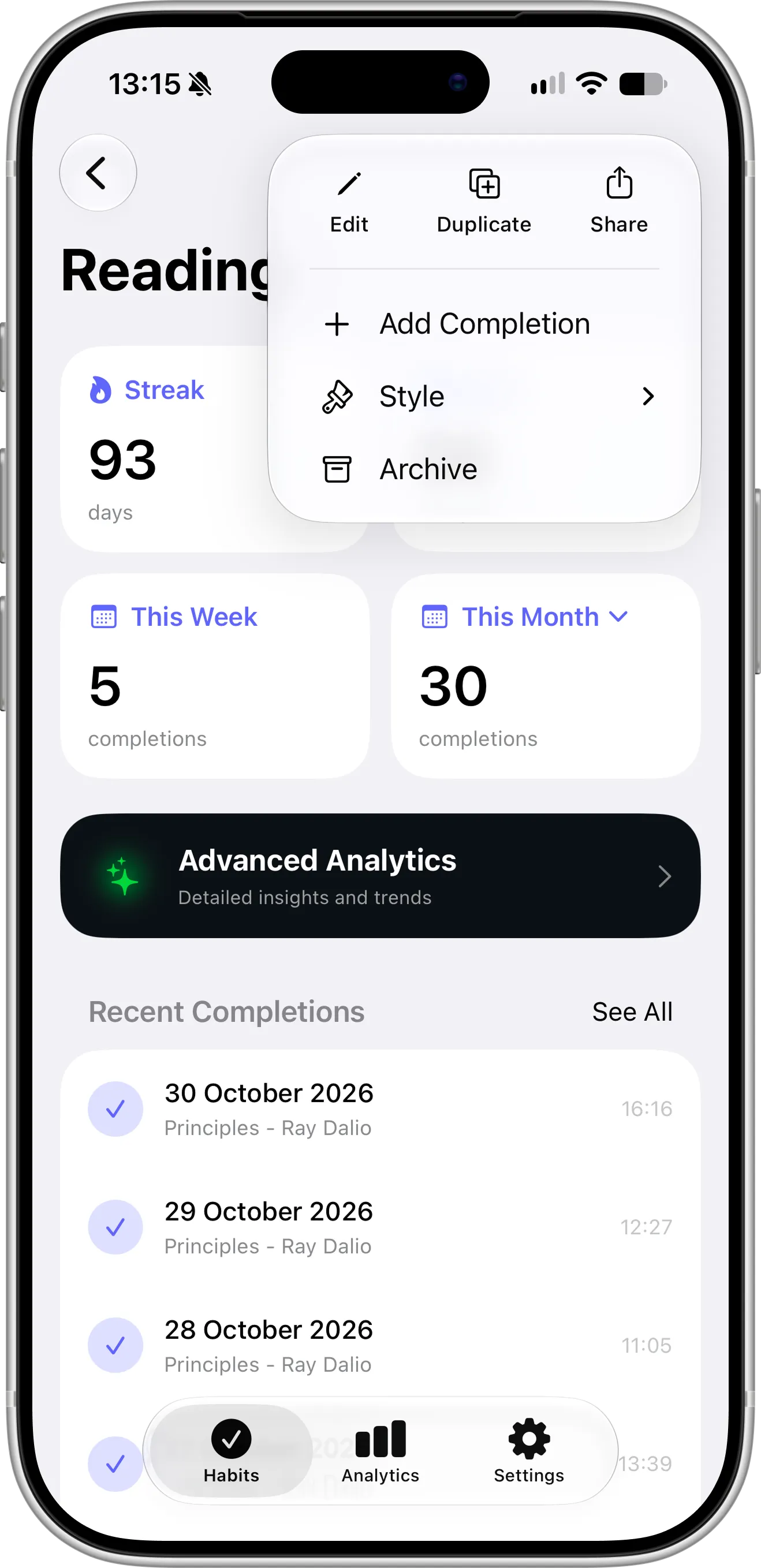
The same Duplicate and Style options are in the menu on the habit’s own screen.
When Duplicating a Habit Helps
A duplicate is useful whenever a new habit should look a lot like one you already have:
- Similar habits: copy “Read 10 pages” to make “Read in English” with the same goal and reminder.
- A new version of a habit: copy “Workout” before you change its goal or frequency, so the original stays as it was.
- Habits for the same time of day: copy one morning habit to set up the next with the same reminder time.
If you only need the settings and not the history, duplicate the habit, open the copy and delete the completions you don’t want to keep.
How To Copy a Habit’s Color to Another Habit
Follow these steps to give several habits the same color:
- Touch and hold the habit whose color you like.
- Tap Style, then Copy Style.
- Touch and hold another habit and tap Style, then Paste Style.
Paste Style appears only after you’ve copied a style, and the copied style stays available until you close Completer, so you can paste it onto as many habits as you like.
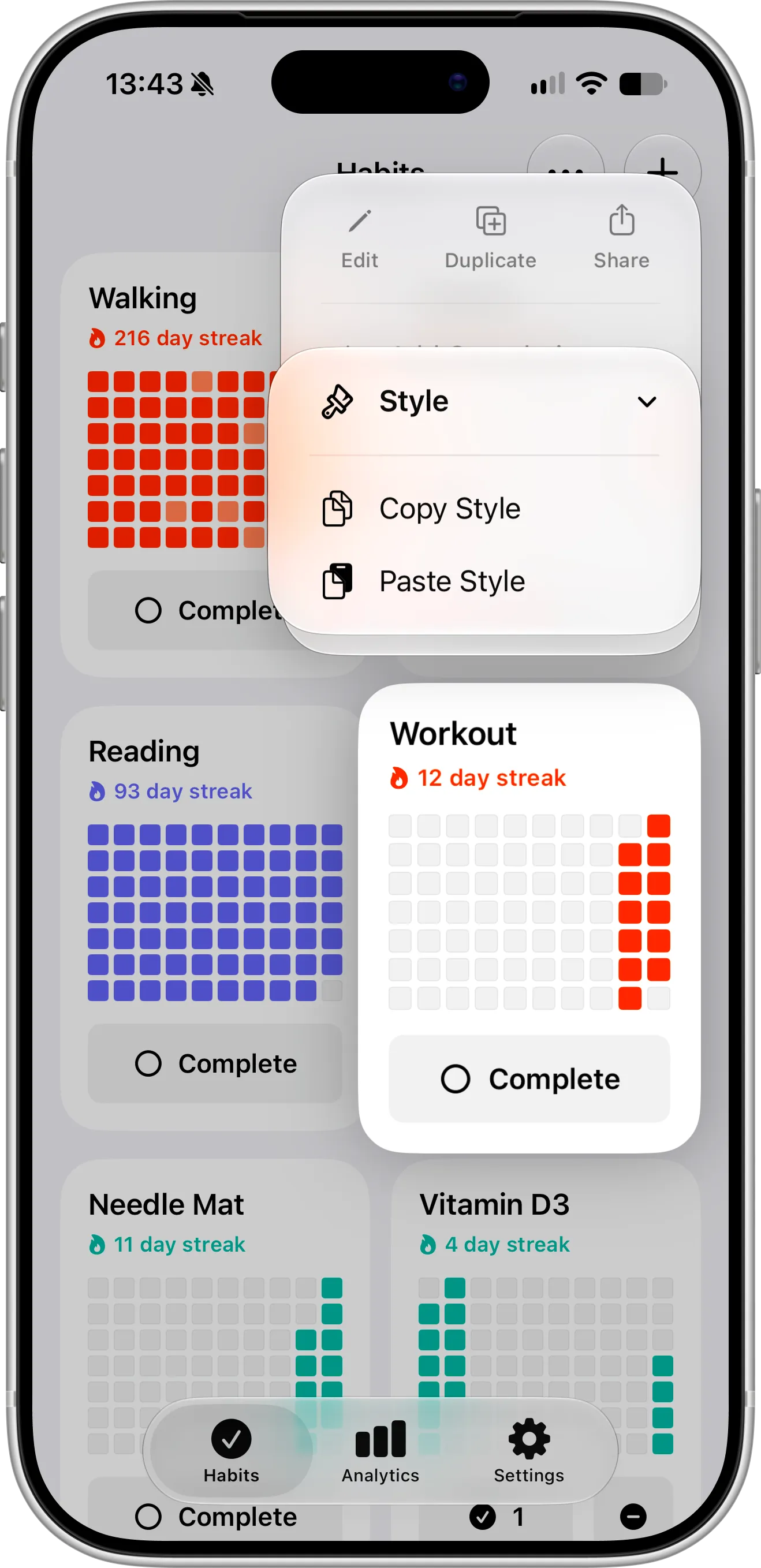
Once you’ve copied a style, Paste Style appears in the Style menu of every habit, here Workout.
The new color shows up right away in the app and in your Home Screen widgets and Lock Screen widgets.
Tips for Organizing Your Habits
Use color to group habits that belong together: one color for health, another for learning, another for money. When you open Completer, related habits are easy to spot at a glance, and widgets for the same group match on your Home Screen.
When you change your routine, duplicate first and edit second. Your old habit keeps its streak and history, and the new one starts from a familiar setup. When you’re done with the old one, archive it with Pro to keep its history out of the way, or delete it.
Need Help or Have Feedback?
If you run into any issues, want to suggest improvements, or have questions about duplicating habits, you can always reach out through the contact page. Your feedback helps improve the habit tracker experience for everyone.
