
How to Share Your Habit Progress as an Image for Stories and Posts
Turn any habit into a clean image with its streak and progress grid, sized for Instagram Stories or feed posts. Share it with friends, post it, or save it to Photos, straight from Completer.

Telling people about a habit is one of the simplest ways to keep it. A friend who knows you’re reading every day will ask how the book is going, and a post about your 100-day streak is a small promise to keep going. Sharing your progress turns a private routine into something a little more real.
Completer can turn any habit into an image that shows its name, current streak and progress grid. You choose a size for Stories or feed posts, and share it to Instagram, Messages or any other app, or save it to Photos.
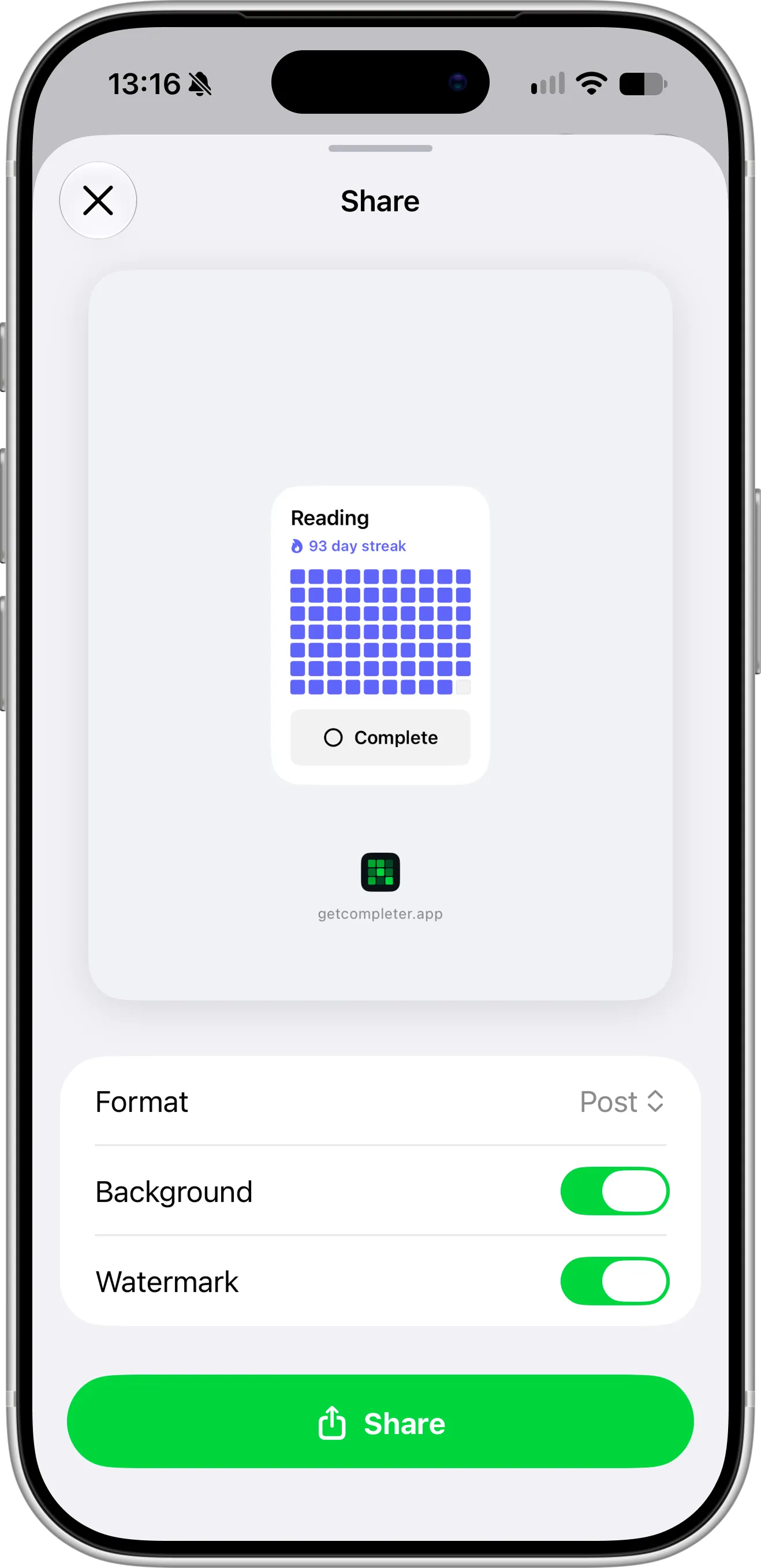
The Share screen previews your image before it leaves the app, here a Reading habit with a 93-day streak.
What You Need Before Getting Started
To share your habits as images, download and install Completer from the App Store. Sharing works on iPhone and iPad and needs at least one habit.
Sharing an image is free, in both sizes. With Pro, you can also turn off the background and the watermark.
How To Share a Habit as an Image
Follow these steps to share a habit:
- On the Habits screen, touch and hold the habit you want to share.
- Tap Share in the row at the top of the menu.
- Choose a size in Format, and turn Background and Watermark on or off.
- Tap Share, then pick an app, a contact, or Save Image.
You can also share from inside a habit. Open it and tap the menu button in the top-right corner, then tap Share.
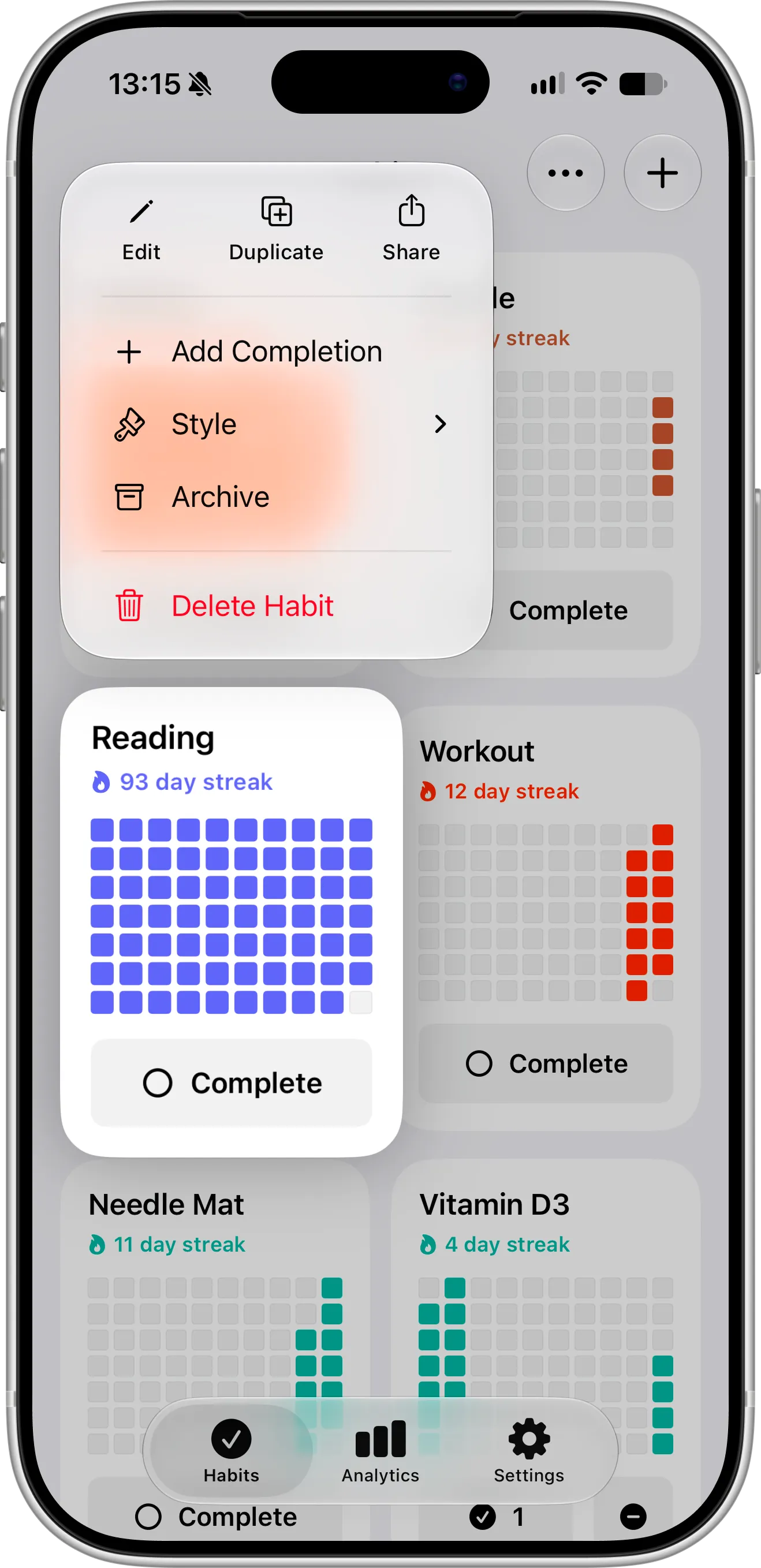
Touch and hold any habit on the Habits screen to find Share at the top of the menu.
What You Can Change Before Sharing
The Share screen shows a live preview of the image and three settings below it:
- Format: Stories makes a tall image for Instagram Stories and similar formats. Post makes a 4:5 image for feed posts.
- Background: with it off, the image keeps only the habit card, so you can place it over your own photo in a story. Turning it off needs Pro.
- Watermark: the Completer icon and getcompleter.app below the card. Turning it off needs Pro.
The habit card in the image looks just like it does in the app, in the habit’s own color. It shows the name, the current streak and the progress grid, so anyone can see how consistent you’ve been at a glance.
Tap Format to switch between the two sizes. Stories is selected when you open the Share screen, and the preview changes shape as soon as you pick the other size, so you can see the result before you share.
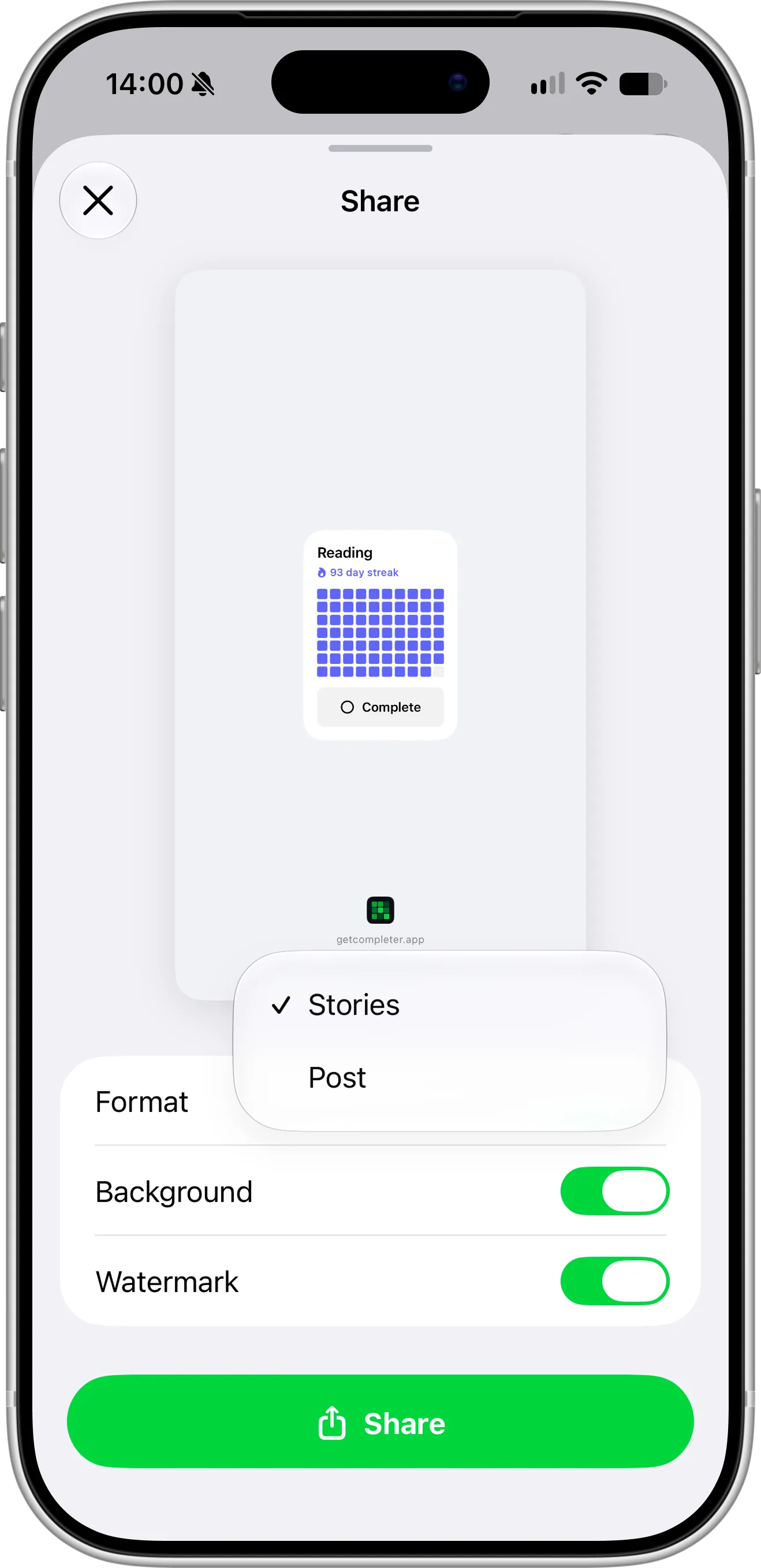
Stories makes a tall image that fills an Instagram story, with the habit card in the middle.
Tips for Sharing Your Progress
Share at a moment that means something to you, like a 30-day or 100-day streak, the first full month, or the day you start a habit you want friends to hold you to. Completer also celebrates streak milestones on its own and offers to share them, so you don’t miss the big ones.
For Instagram Stories, choose Stories and keep the background on for a ready-made image. If you’d like to show the habit on top of your own photo, turn the background off, save the image, and place it over your photo in the story editor.
If you want your habits always in view rather than shared once, add them to your Lock Screen or Home Screen as widgets.
Need Help or Have Feedback?
If you run into any issues, want to suggest improvements, or have questions about sharing, you can always reach out through the contact page. Your feedback helps improve the habit tracker experience for everyone.
